The Advanced Search Bar is available in all grid and data sheet views. The Search Bar can be activated by clicking on the Chevron icon  on the action bar next to Quick Find. It requires no additional configuration and automatically displays the first three data fields in the view.
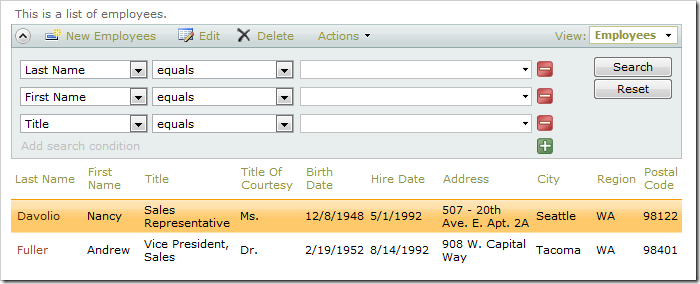
It allows end users to form complex and specific queries to find the data they need. This capability complements Quick Find.
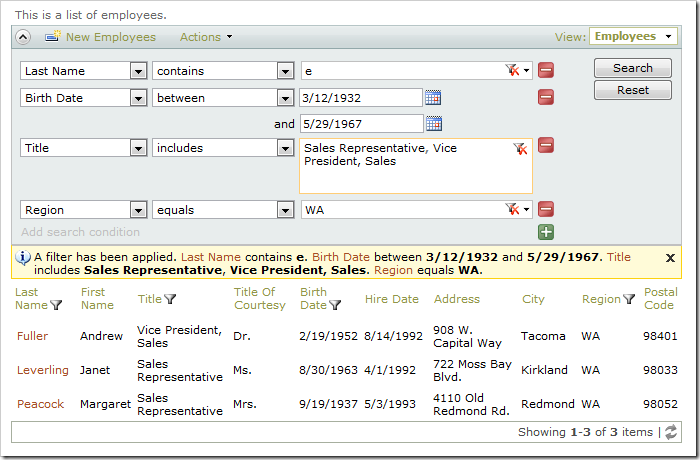
When necessary, the available fields and filter options can be configured.
Learn more about using Advanced Search Bar.